Introducing Rentals — For Flexible Multi-Day Bookings
🧭 Overview
We’re excited to introduce
Rentals within Calendars!🎉
Rentals is a powerful new addition to OS’s scheduling suite, purpose-built for businesses that manage bookable inventory like equipment, vehicles, spaces, vacation properties, event setups, and more.
Unlike traditional appointment scheduling, Rentals is designed for duration-based, inventory-driven bookings — giving you full control over availability, pricing logic, booking types, and multi-item checkouts.
Whether you rent by the hour, day, week, or month, Rentals gives you the flexibility to model your real-world business accurately.
🚀 What’s New?
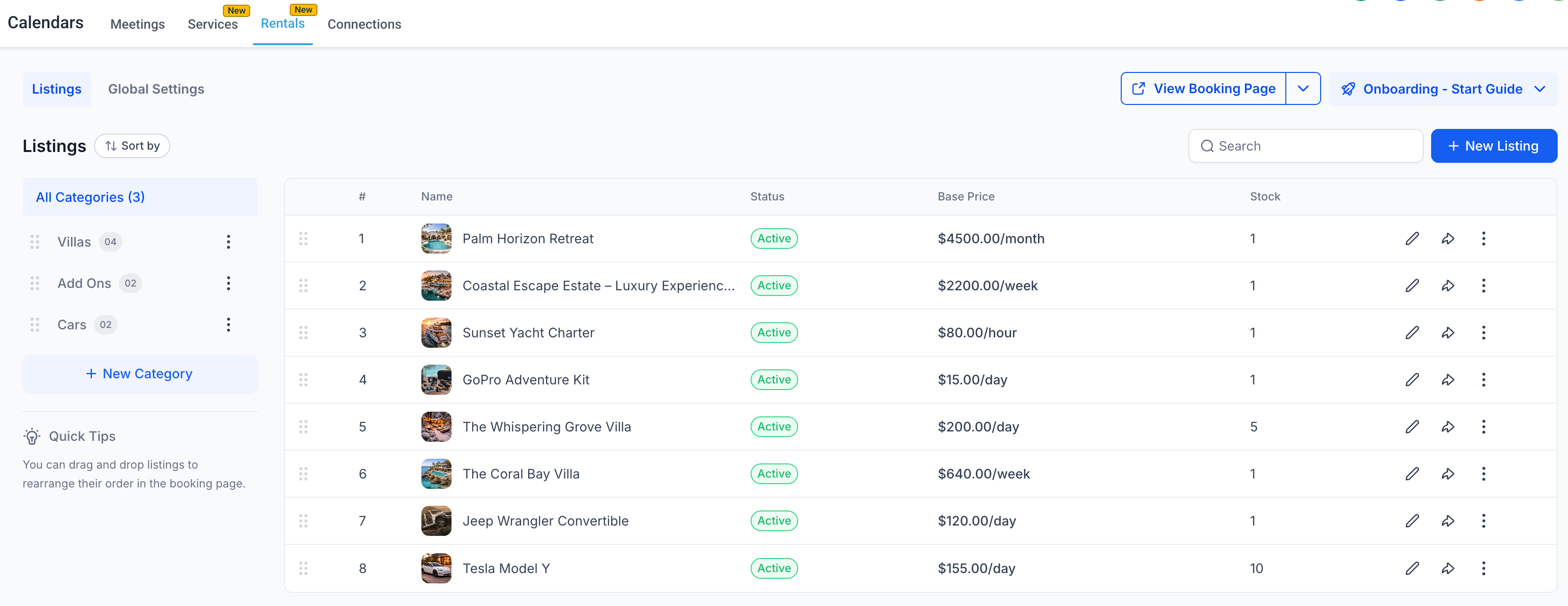
✅ Customizable Listings with Variants & Inventory
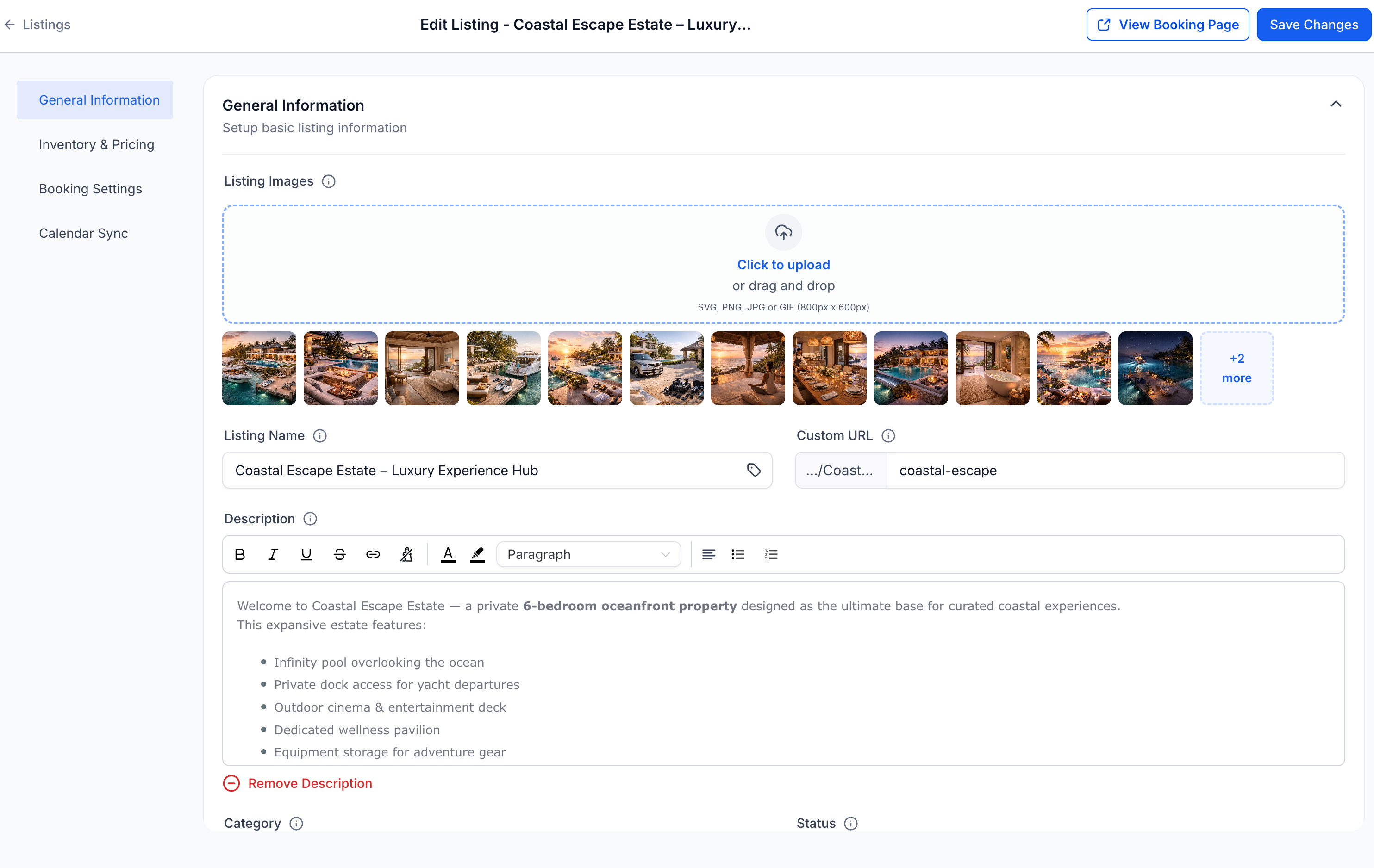
Create listings for each rental offering and configure:
Pricing per hour/day/week/month
Quantity tracking
Variants (e.g., size, type, configuration)
Lead time, buffer time, booking window rules
✅ Inventory Tracking & Availability Control
Control how many units of each listing are available at any given time.
The system automatically:
Checks availability across selected dates
Prevents overbooking
Blocks unavailable inventory
✅ Flexible Pricing Models
Support for:
Tiered pricing by duration or quantity
Seasonal pricing
Day based pricing
Security deposits
✅ Flexible Booking Types
Choose how customers book based on your business model:
Date & Time Selector
– Ideal for hourly and short-term rentals
Date Selector Only
– Perfect for day-based or night-based rentals
Fixed Duration Bookings
– Offer predefined packages (e.g., 3-day bundle, 5-day bundle)
Each listing can define its own booking behavior.
✅ Multi-Item Bookings
Customers can book multiple rental listings in a single checkout — perfect for bundles, event setups, or combined equipment rentals.
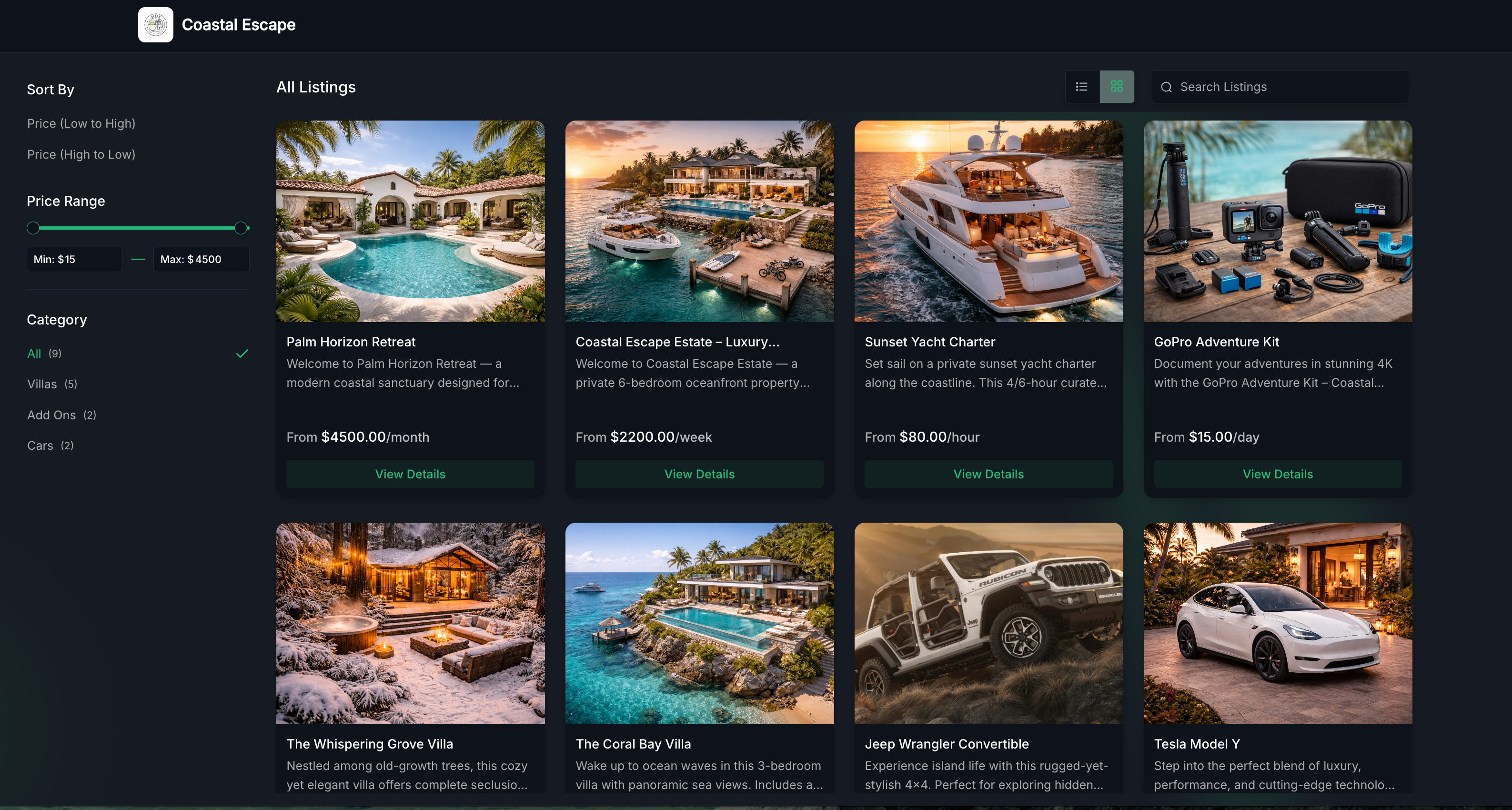
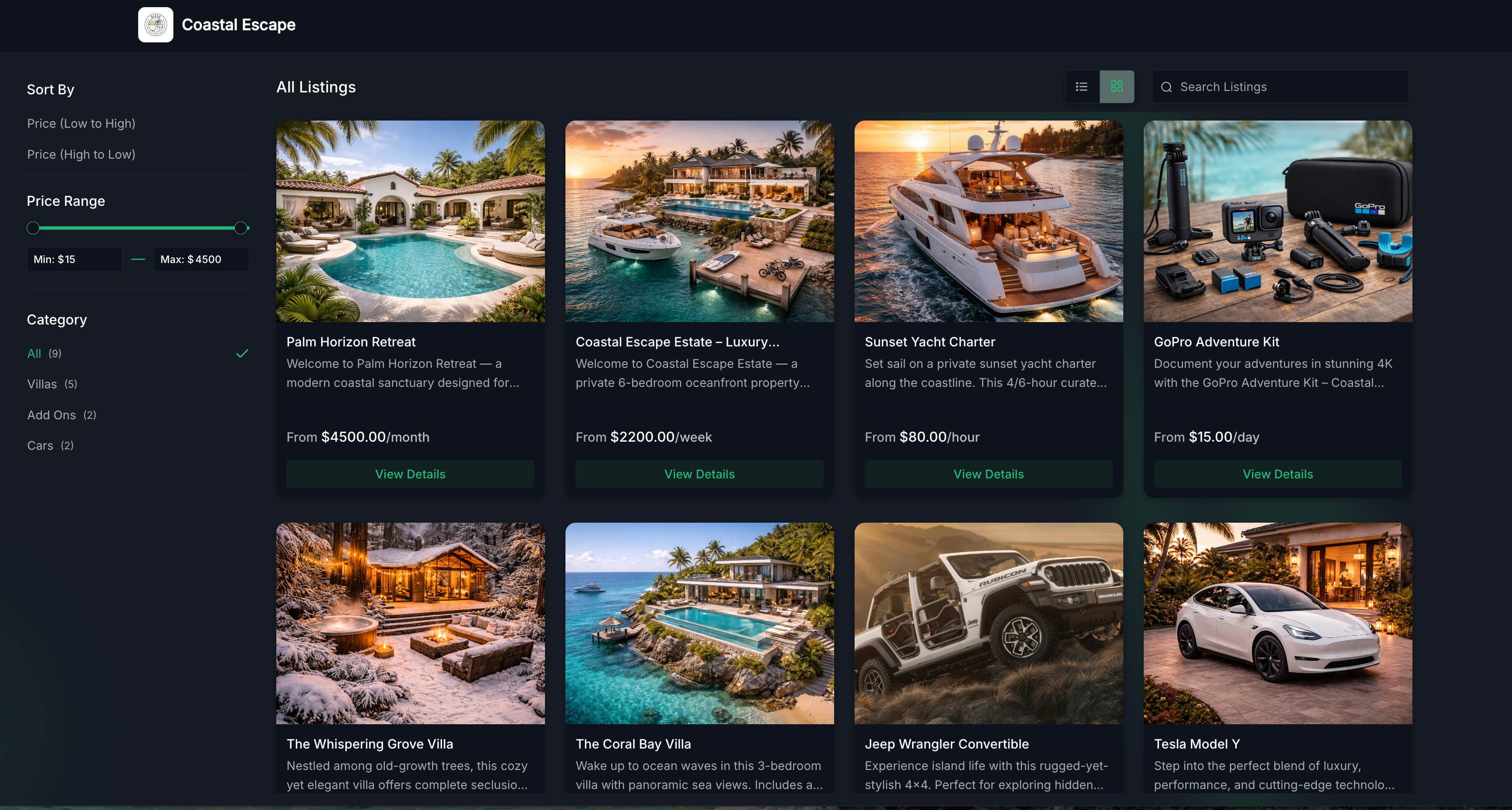
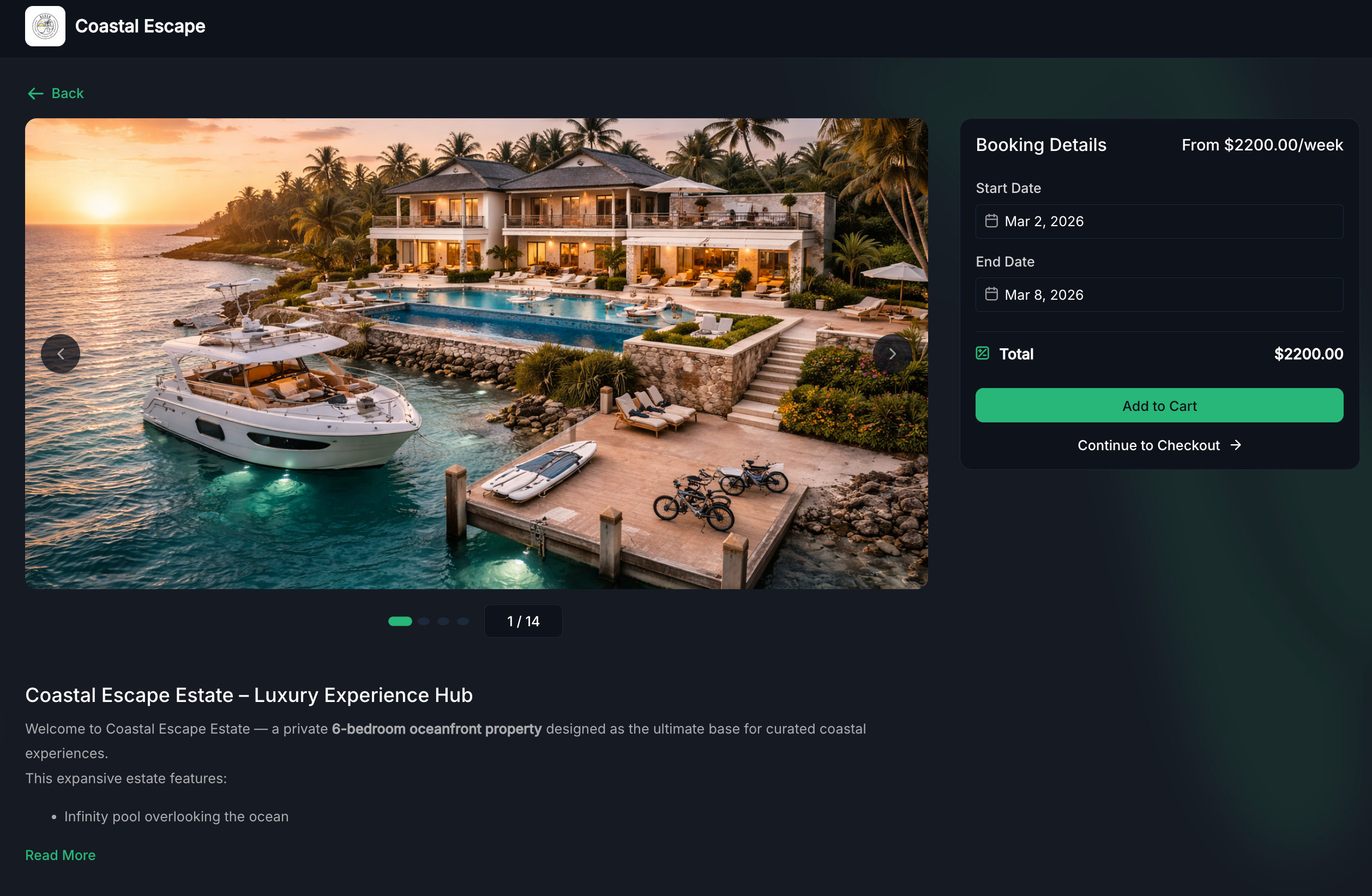
✅ Customer Booking Page
Offer a dedicated customizable public-facing booking page that:
Displays listings and categories
Shows real-time availability
Offers a smooth booking experience
This gives rental businesses a streamlined and professional booking experience.
✅ Flexible Booking Management (Admin Experience)
Rentals includes a full booking management system:
Create bookings manually from in-app
Add multiple listings within one booking
Modify dates, duration, quantity, or pricing
Automatically generate invoices for every booking
Collect payments in-app
Track booking statuses (Booked → Active → Completed)
View and manage all bookings from Appointment List View or Calendar View
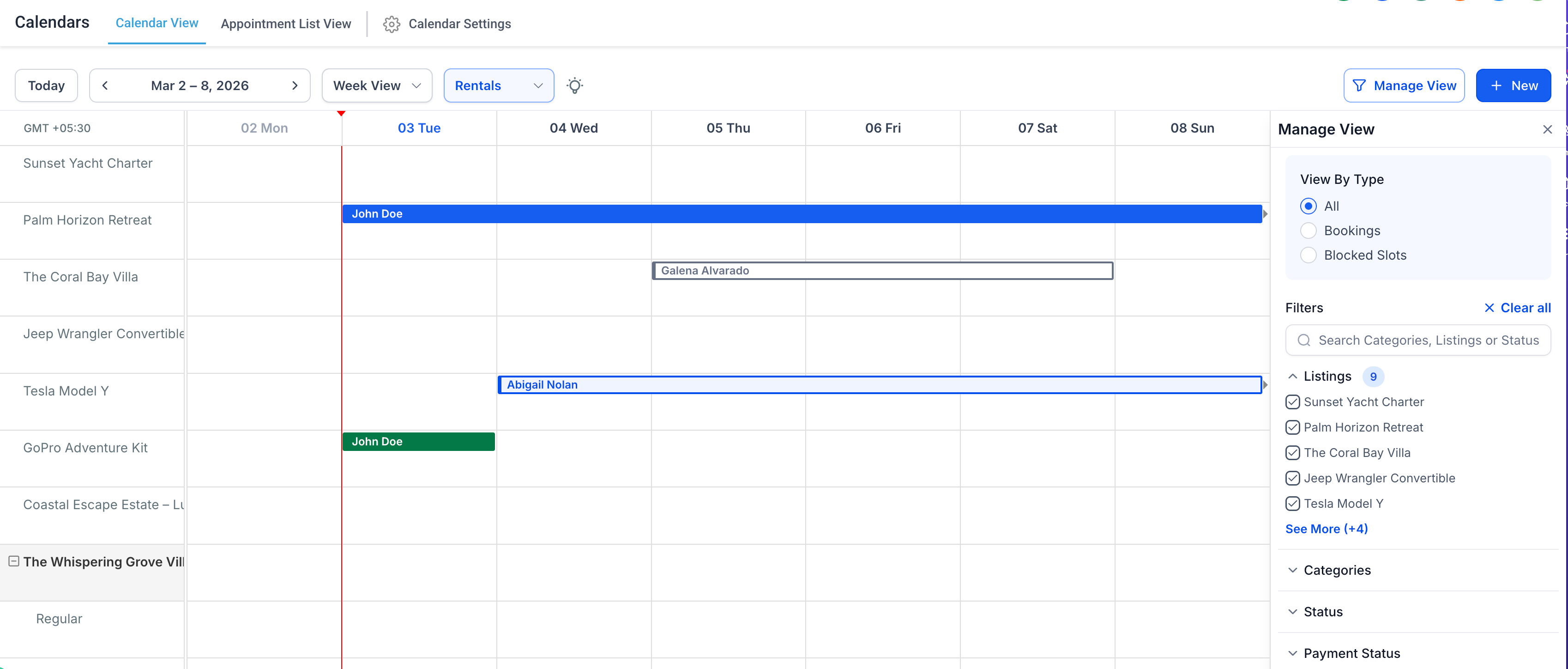
✅ Revamped Calendar View
A dedicated Rentals calendar view allows you to:
See bookings across all listings in a unified grid
View bookings color-coded by status (Unconfirmed, Booked, Active, Completed, Cancelled)
Filter by listing, status, payment status, categories
Open detailed booking information directly from the calendar
Manage all rental operations from one centralized view.